
Version History
Made a mistake? Deleted something important? No worries. Every version of your document is saved automatically.
Restore Any Version
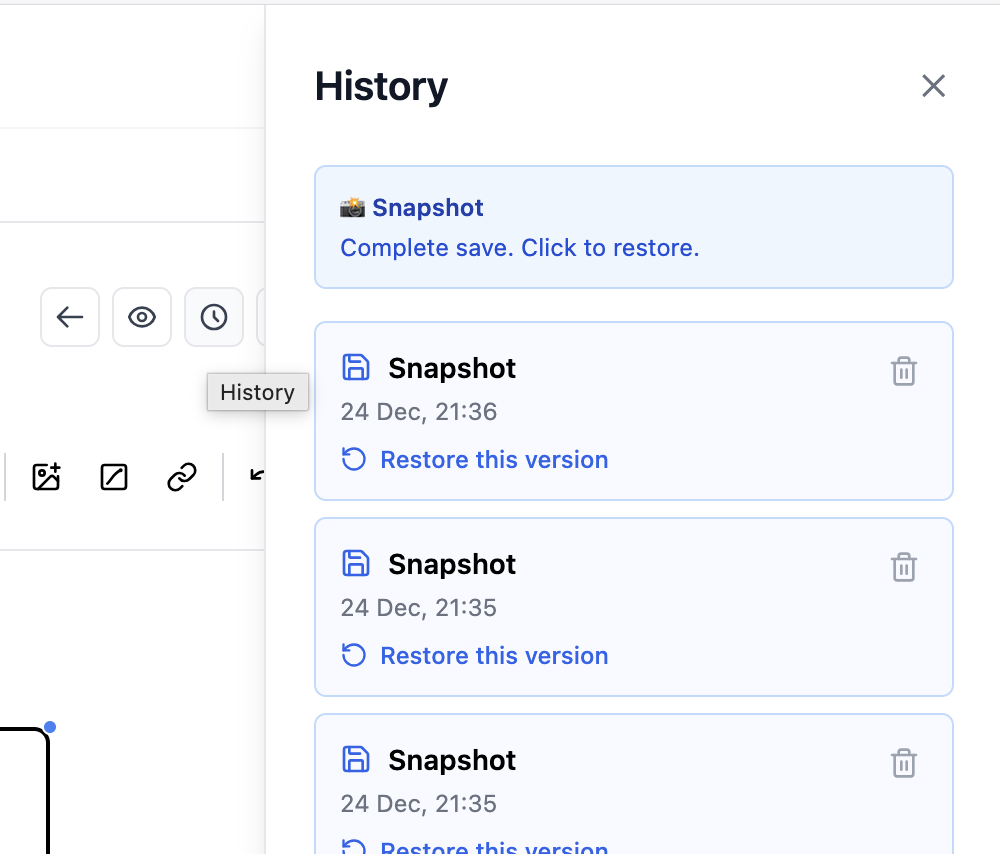
Open the history panel and browse all your saves. Click to preview, one more click to restore. Simple as that.
- ✓ Automatic snapshots on every save
- ✓ See when each version was created
- ✓ One-click restore
- ✓ Delete old versions to save space
How it works
1
Write
Every time you save, a snapshot is created automatically.
2
Browse
Open history to see all your past versions with timestamps.
3
Restore
Click any version to restore it. Your document is back.
Keep it clean
Too many versions? Use "Keep only last" to delete all old snapshots except the most recent one. Clean history, fresh start.
Empty snapshots (just whitespace) can also be deleted in bulk.